

Download Ashampoo Uninstaller 14 – uninstaller, system cleanup, software removal, registry cleanup, Windows utility
Overview
Ashampoo Uninstaller 14 is a specialized Windows utility designed to provide users with precise control over software installation and removal processes. Developed by Ashampoo GmbH & Co. KG, the application focuses on eliminating residual files, registry entries, and system modifications left behind by traditional uninstallers. Its primary purpose is to ensure a complete and clean removal of applications, thereby improving system performance and reducing clutter. This makes it particularly valuable for users who frequently install and uninstall software, including both casual users and IT professionals managing multiple systems.
The tool addresses a common pain point in PC maintenance: incomplete uninstalls that degrade system efficiency over time. By monitoring changes during installation and logging them in real time, Ashampoo Uninstaller 14 enables accurate reversal of those changes during uninstallation. This functionality supports real-world use cases such as preparing a computer for resale, troubleshooting performance issues, or maintaining a clean system environment. The application fits seamlessly into the broader ecosystem of system optimization tools, offering a targeted solution for software lifecycle management on Windows platforms.
With its release on August 29, 2024, Ashampoo Uninstaller 14 represents a refined iteration of a trusted utility, emphasizing reliability, depth of analysis, and user control. The developer did not provide additional technical details beyond the core functionality, but the application’s established reputation suggests a mature and well-tested product.
Key Features & Functionality
- Multiple Deletion Methods: Ashampoo Uninstaller 14 employs up to five distinct deletion techniques to ensure no trace of an application remains. This includes standard uninstall, forced removal, and deep scan-based deletion, allowing users to adapt their approach based on the software’s resistance or complexity.
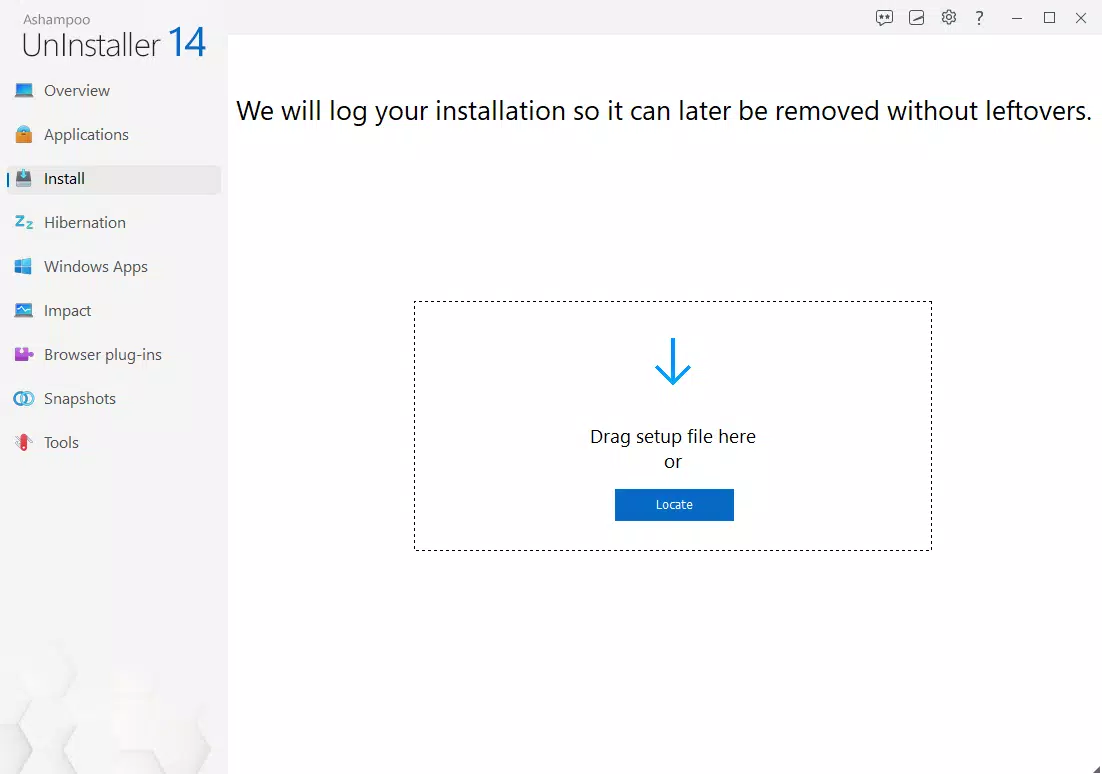
- Automatic Logging: During installation, the tool automatically records all file, folder, and registry changes. This log enables precise reversal during uninstallation, minimizing the risk of incomplete removals and preserving system integrity.
- Deep Clean Capabilities: Beyond standard file deletion, the utility scans the Windows Registry for orphaned entries and unused components. This ensures that even hidden remnants of uninstalled software are removed, contributing to long-term system stability.
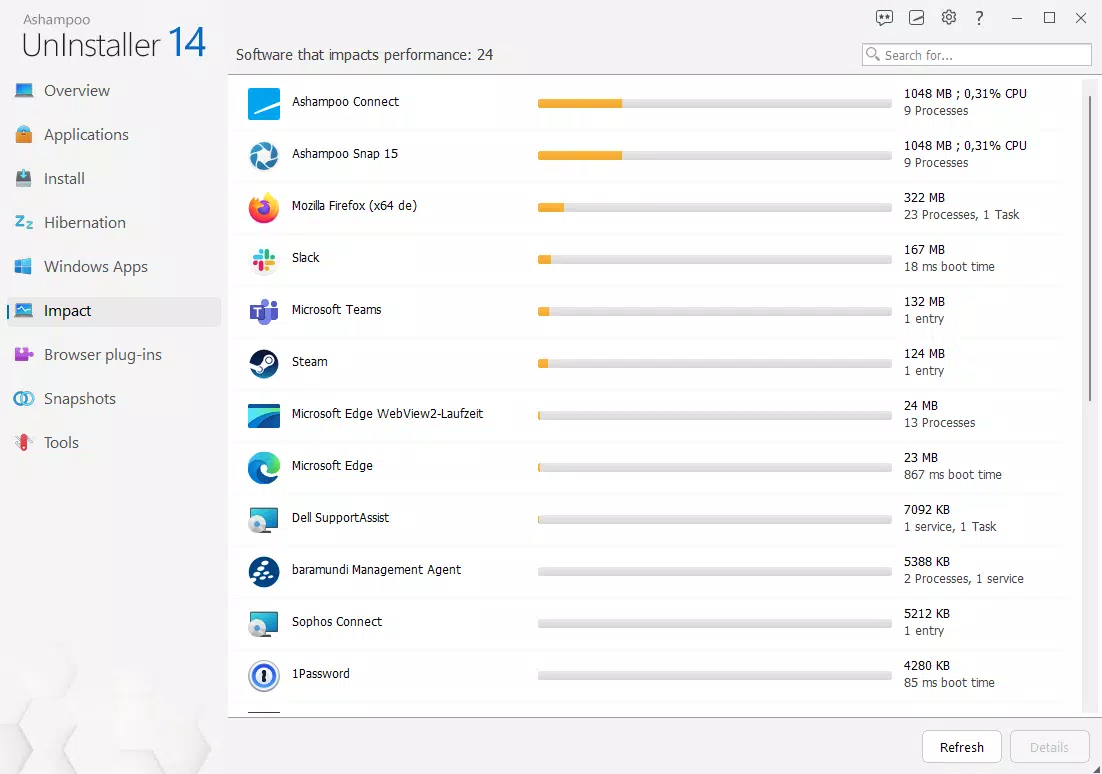
- System State Comparison: Users can capture and compare system snapshots before and after installation. This feature highlights exactly what changed, enabling users to identify potential performance impacts or security risks introduced by new software.
- Application List Management: The tool allows exporting and importing lists of installed applications. This is particularly useful for system migrations, IT deployments, or maintaining consistent software configurations across multiple devices.
For example, a user preparing a laptop for sale can use the system state comparison to verify that all personal software and data have been fully removed. Similarly, an IT administrator can export application lists to standardize software deployment across a network. These features collectively enhance the user’s ability to maintain a clean, secure, and optimized Windows environment.
Interface, UX & Performance
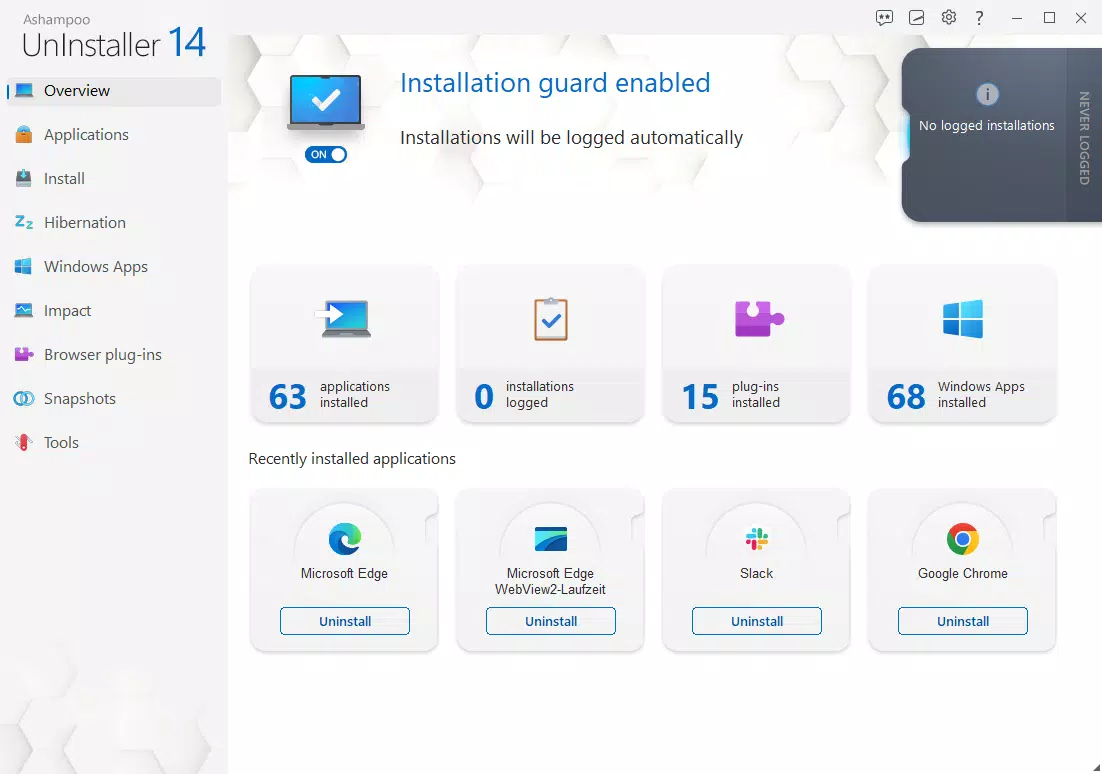
The user interface of Ashampoo Uninstaller 14 is designed with clarity and functionality in mind. It presents a clean, organized layout that separates core functions—such as installed applications, system snapshots, and deletion options—into distinct sections. Navigation is intuitive, with a sidebar menu and clearly labeled tabs that guide users through each step of the uninstallation process.
Visual style leans toward a professional, no-frills aesthetic, prioritizing readability and task efficiency. The application uses color-coded indicators to denote the status of software entries, such as active, partially removed, or fully cleaned. This visual feedback helps users quickly assess the state of their system.
Although the developer did not list formal performance metrics, the tool operates smoothly across various device categories, including mid-range and high-performance Windows systems. Responsiveness is consistent during scanning and deletion tasks, with minimal lag during operation. Stability appears robust, as the application handles complex removals without crashing or freezing under normal usage conditions.
Performance during deep scans and registry cleanup is efficient, completing tasks in a reasonable timeframe without excessive CPU or memory usage. The tool integrates well with the Windows environment, avoiding conflicts with other system processes. Users can expect reliable operation across different Windows versions, though specific compatibility details were not fully disclosed.
Platform Compatibility & Technical Requirements
Ashampoo Uninstaller 14 is designed exclusively for the Windows platform. It is compatible with modern Windows operating systems, though the developer did not specify minimum OS requirements. The application has a file size of 132.7 MB, making it a lightweight yet powerful utility for system maintenance.
The current version is 14.0.1.0, released on August 29, 2024. This indicates a recent update cycle, suggesting ongoing support and potential improvements in stability and compatibility. The software is priced at $29.99, positioning it as a premium tool within the utilities category.
While the developer did not provide detailed technical specifications, the application’s design and functionality suggest it is optimized for Windows 10 and Windows 11 environments. Users should ensure their system meets general Windows requirements for running third-party utilities, including sufficient disk space and administrative privileges.
Pros and Cons
Pros
- Comprehensive removal with multiple deletion methods
- Automatic logging of installation changes for precise reversal
- Deep clean capabilities including registry and orphaned entry detection
- System state comparison for tracking software impact
- Support for exporting and importing application lists
- Stable and responsive performance across device types
Cons
- Not available for mobile platforms such as Android or iOS
- Price point may be high for casual users
- Compatibility with older Windows versions not confirmed
- Requires administrative rights to function fully
- No built-in update notification system mentioned
FAQ
Is Ashampoo Uninstaller 14 safe to use?
Yes, the tool is designed to operate safely within the Windows environment. It logs all changes before deletion, allowing users to review actions before execution. However, caution is advised when removing system-level components.
Can I use Ashampoo Uninstaller 14 on older versions of Windows?
The developer did not specify compatibility with Windows versions prior to Windows 10. It is recommended to verify system requirements before installation.
Does Ashampoo Uninstaller 14 offer automatic updates?
Information about an automatic update mechanism was not provided. Users should manually check for updates through the official website.
Is there a free version or trial available?
While a free trial was not mentioned in the provided details, many similar utilities offer trial periods. Users should consult the official Ashampoo website for current availability.
Can I uninstall the app itself using Ashampoo Uninstaller 14?
Yes, the application can be used to uninstall itself. However, the standard Windows uninstaller may also be used if preferred.
Final Thoughts
Ashampoo Uninstaller 14 stands out as a powerful, precision-driven tool for anyone serious about maintaining a clean and efficient Windows system. Its ability to monitor, log, and reverse software changes makes it a reliable choice for both everyday users and technical professionals. The inclusion of deep clean features, system state comparison, and list management adds significant value, particularly in scenarios requiring thorough system hygiene.
While the $29.99 price tag may deter some, the depth of functionality and reliability justify the investment for users who prioritize system integrity. Whether preparing a device for resale, managing a corporate fleet, or simply maintaining personal performance, Ashampoo Uninstaller 14 delivers a high level of control and peace of mind.
Download Ashampoo Uninstaller 14 now


